Open source for Laravel + Inertia.js
A toast for now.
An inbox for later.
Flash a toast from a controller, or send a Laravel notification to the in-app notification center. The Vue and React components show both, update in real time, and follow each user's preferences.
 Built byCreator of Inertia Forms and Inertia Table
class InvoiceController
{
    public function send(Invoice $invoice)
    {
        $invoice->send();

        Toast::success("Invoice {$invoice->number} sent")
            ->description("Sent to {$invoice->email}.")
            ->action(ToastAction::make('Undo')
                ->post(route('invoices.recall', $invoice))
            )
            ->flash();

        return back();
    }
}Posts to a Laravel route on this site. The route flashes the toast, and its Undo button posts again.
Flash from Laravel or the browser.
A toast is flash data on the next response, or a toast() call in the browser. A notification is a row in the user's inbox. One component renders each, in Vue or React. Toasts work after the first two steps, so you may add the inbox later.
Flash a toast from Laravel
Call flash() on a toast, or attach it to a redirect or an Inertia response. It arrives with the next page, through Inertia's flash data, so it survives redirects and stays out of your page props.
class ProfileController
{
    public function update(ProfileRequest $request)
    {
        $request->user()->update($request->validated());

        Toast::success('Profile saved')->flash();

        return back();
    }

    public function destroy(Request $request)
    {
        $request->user()->delete();

        return redirect('/')->toast(
            Toast::info('Your account was deleted')
                ->description('We sent a copy of your data to your email.')
        );
    }
}
Add the Toaster to your layout
The Toaster shows flashed toasts, toasts from the browser, and toasts from JSON responses, stacked in a corner and announced to screen readers. The same API works in Vue 3 and React 19.
The Toaster component<script setup>
import { Toaster } from '@inertiaui/notifications-vue'
</script>
<template>
<slot />
<Toaster position="bottom-right" />
</template>Store notifications in the inbox
Add inbox to the channels of any Laravel notification and return an InboxMessage with a title, body, link, actions, and category. The same notification can still send mail.
php artisan make:inbox-notification InvoicePaid
Sending notificationsclass InvoicePaid extends Notification
{
public function __construct(public Invoice $invoice) {}
public function via(object $notifiable): array
{
return ['inbox', 'mail'];
}
public function toInbox(object $notifiable): InboxMessage
{
return InboxMessage::make('Invoice :number paid', ['number' => $this->invoice->number])
->body('Paid by card.')
->url(route('invoices.show', $this->invoice))
->action(ToastAction::make('Send receipt')
->post(route('invoices.receipt', $this->invoice))
)
->category('billing');
}
}Give users a bell and a panel
One route macro registers the JSON endpoints, and the HasInbox trait gives your user model an inbox. The NotificationCenter component is the bell, the badge, and the panel.
class User extends Authenticatable
{
    use HasInbox, Notifiable;
}

// routes/web.php
Route::inertiaNotifications();Test toasts and notifications
assertToast() finds the toasts a test response delivers, even after a redirect. A trait adds assertions for inbox messages, read state, and web push.
it('confirms the invoice was sent', function () {
    $this->post('/invoices', ['amount' => 1500])
        ->assertToast('Invoice sent', ToastType::Success);

    $this->get('/dashboard')->assertNoToasts();
});Real toasts. Restyle them with a few tokens.
These buttons call the package's toast() function, and its Toaster renders the result. Switch the theme, move the stack, or turn on the countdown bar, then fire a few at once.
Types
Behavior
Theme
Each theme changes only the CSS variables in app.css. The components stay the same.
Toaster
Bottom right
F8 focuses the newest toast, Esc dismisses it. Timers pause while you hover, while a toast has focus, and while this tab is in the background.
toast.success('Invoice sent', {
    description: 'Sent to [email protected].',
})<Toaster position="bottom-right" />@import '@inertiaui/notifications-vue/theme.css';
:root {
--color-iui-toast-foreground: oklch(0.17 0.018 285);
--color-iui-toast-muted-foreground: oklch(0.42 0.022 285);
--color-iui-toast-border: oklch(0.88 0.01 285);
--color-iui-toast-action: oklch(0.37 0.13 298);
--color-iui-toast-ring: oklch(0.5 0.17 298);
--color-iui-toast-info: oklch(0.5 0.17 298);
--radius-iui-toast: 0.8rem;
} The same calls work in React. In Laravel, each type, description, action, image, progress, and ID has a matching method on the Toast class.
An inbox users can work through.
The NotificationCenter component opens an inbox from the bell in your navigation. Users read, snooze, archive, and mute notifications without leaving the page, and NotificationList shows the same inbox on a page of its own.
Broadcasts a notification to this page, as Laravel Echo does in your app. The bell counts it and shows its toast. Opening the panel closes the toast and lists the notification at the top.
- Tabs and categories
- Unread, Snoozed, and Archived tabs, your own tabs, and a category filter that counts what is unread in each.
- Actions with results
- An Approve button posts to your route, and the row shows "Approved" in place of the buttons from then on.
- Snooze, archive, mute
- Users snooze a row until later, archive it, mute the thread it belongs to, or select many and change them together.
- Keyboard first
- J and K move between rows. U, E, and H read, archive, and snooze. Enter opens the notification. Try it on the panel.
- Announcements
- Announcement::make()->publish() shows one message to an audience, including users who sign up later, with an optional expiry date.
- A sheet on phones
- On screens narrower than 40rem, the panel opens as a sheet at the bottom of the screen. Touch screens always show the buttons that a mouse shows on hover.
Ten comments, one notification.
Give the notifications about one thing a group key and call collapse(). For the next 60 minutes, each new comment updates the stored notification instead of adding one, so the bell counts one. :actors names the commenters, such as "Sophie and 3 others", in the panel, toasts, pushes, and digest mails.
return InboxMessage::make(
    ':actors commented on pull request #:number',
    ['number' => $comment->pullRequest->number],
)
    ->actor($comment->author)
    ->group("pull-request:{$comment->pullRequest->id}")
->collapse(minutes: 60);Open the bell to try the panel
Route::inertiaNotifications() in the browser, so it works without an account. Reach users with the browser open or closed.
Notifications arrive the moment you send them, in every open tab. With the tab in the background or the browser closed, they reach the user through the tab title, the app icon, a desktop notification, or a push to their phone.
- Real time with Echo Turn on broadcasting and pass Laravel Echo. A notification shows in the bell, with its toast, the moment you send it.
- Every tab in sync Reading, archiving, or snoozing in one tab updates the others. Without Echo, you may poll the counts instead, and polling pauses in hidden tabs.
- Tab title and app badge Put the unread count in the title of every tab, and on the icon of the installed app with the Badging API.
- Desktop notifications and sound Alert users who are looking at another window. Only the tab they looked at last alerts them, with a built-in chime or your own sound file.
- Web Push Call push() on the message and it reaches phones and computers with the browser closed. The package serves the service worker.
- Quiet hours and throttling Outside a user's notification hours, or while they paused, notifications arrive without a toast, sound, or push. You may also throttle a busy category to one alert per minute.
Alerts and web push in a few lines
Each browser alert is one option on initNotifications(), and web push is one method on the message. The inertia-notifications:vapid command generates the VAPID keys, and inertia-notifications:check-push lists what is missing before you send.
import { echo } from '@laravel/echo-vue'
import { initNotifications } from '@inertiaui/notifications-vue'

initNotifications({
    inbox: {
        echo,
        titleCount: true,
        appBadge: true,
        desktopNotifications: true,
        sound: true,
    },
})Notification preferences users set themselves.
One component renders a preferences table from your config: categories down the side, channels across the top. The package applies each choice when Laravel sends a notification, so your notification classes stay the same.
Notification preferences
Settings · Notifications
- Categories and channels
- List the categories in the config. Each notification names its category, and the package skips the channels the user turned off.
- Locked and opt-in
- A locked category, such as security alerts, is always on. An opt-in category, such as product news, starts off.
- Pausing
- The menu of the notification panel pauses everything that is not locked for 30 minutes, an hour, or until tomorrow.
- Your own form
- usePreferences() gives you the same state and the save methods, for a settings page that looks like the rest of your app.
'preferences' => [
    'channels' => [
        // In the app and Email come with the published config
        'push' => ['label' => 'Push', 'via' => ['push']],
    ],
    'categories' => [
        'comments' => ['label' => 'Comments', 'digest' => true],
        'deployments' => ['label' => 'Deployments'],
        'billing' => ['label' => 'Billing', 'channels' => ['mail']],
        'security' => ['label' => 'Security', 'locked' => true],
        'product' => ['label' => 'Product updates', 'opt_in' => true],
    ],
],Fewer emails, sent at the right time.
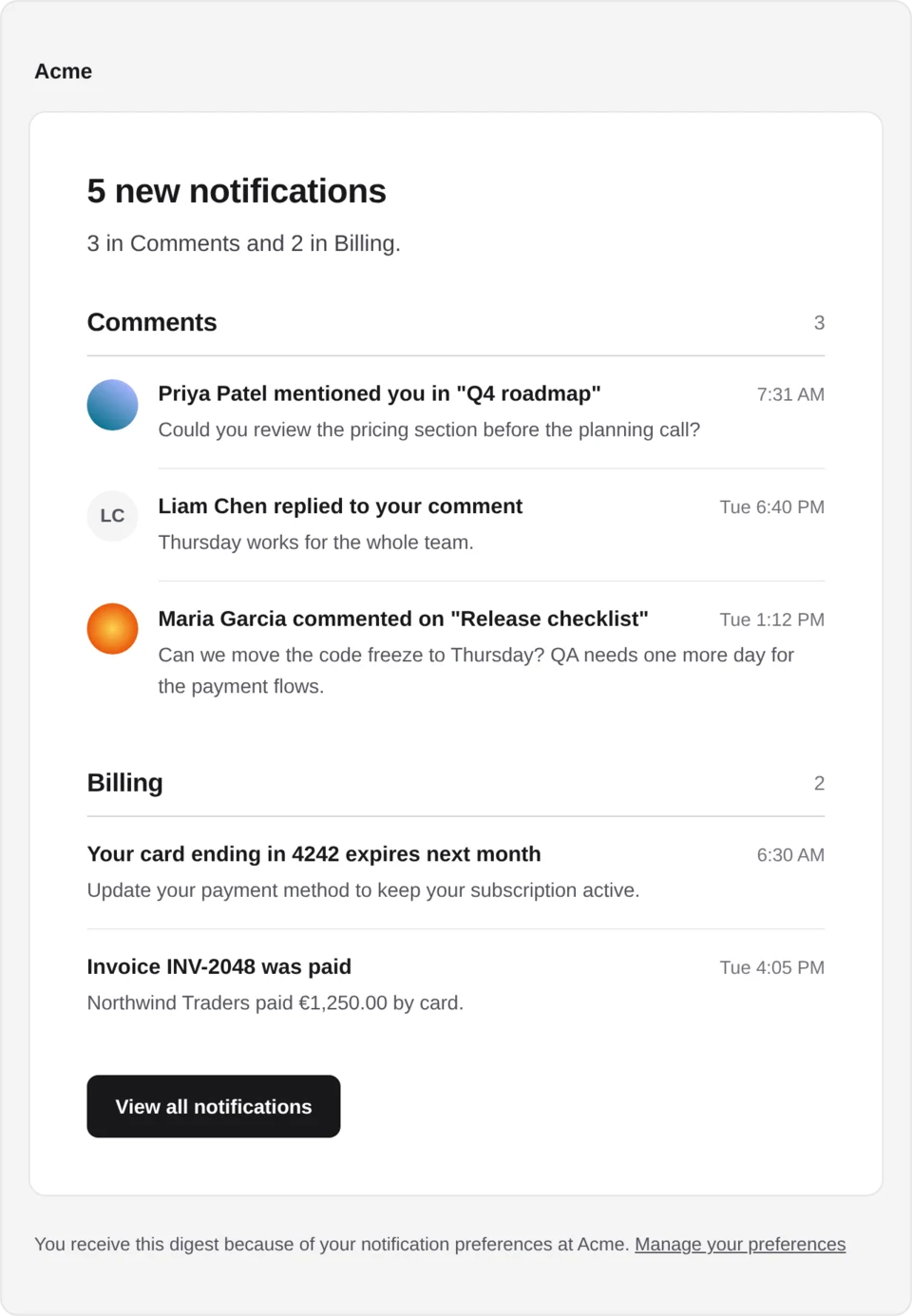
The bell shows each notification right away. Its email may wait for the user's digest, for their notification hours, or until you know whether they read the notification in the app.
- Digests in each user's timezone
- Add 'digest' => true to a category, and users choose to get it right away or in an hourly, daily, or weekly digest. Daily and weekly digests arrive at 08:00 in each user's timezone by default. Schedule the command that sends them.
Schedule::command('inertia-notifications:send-digests') ->everyMinute() ->withoutOverlapping();- Mail only when unread
- unlessReadWithin() stores the notification right away and holds the email for the minutes you pass. If the user reads the notification in the app first, the email never sends. The notification must be queued and use the InteractsWithInbox trait.
return InboxMessage::make('Invoice :number paid', [ 'number' => $this->invoice->number, ])->unlessReadWithin(minutes: 10, channels: ['mail']);- Notification hours
- Users set the hours of each day when emails, toasts, and alerts may reach them, as in the preferences above. Outside those hours, emails wait until the hours start again, and notifications reach the inbox without a toast, a sound, or a push. Locked categories still send.
'notification_hours' => [
    'enabled' => true,
],
Everything else, already built.
These are the parts you would otherwise write after the first version ships. Each one has its own page in the docs.
Toasts
- Actions of every kind A button on a toast visits a route with Inertia, posts with data, opens a URL, dispatches a browser event, or runs a callback. It shows a spinner while the request runs.
- Your own toast components Pass a component per type to the Toaster, such as an invite card, and fill it with data from ->with() in Laravel.
- Queue and limit Set how many toasts show at once. Extra toasts wait in a queue, push the oldest out, or hide until there is room.
- Error toasts With errorToasts, a failed Inertia visit or useHttp request shows a toast instead of the error page dialog.
- Toasts from JSON endpoints A middleware sends flashed toasts in a response header, and toast.fromHeaders() shows them for fetch() calls.
- Named Toasters Render a second Toaster with a name, such as in a sidebar, and send a toast there with toaster('sidebar').
Notification center
- Send once once() takes a key, and a second notification with the same key is never stored, even from a retried job.
- Update and retract Inbox::update() changes a notification after you sent it, such as once the build it announced has passed. Inbox::retract() removes it for good.
- Teams and tenants for($team) files a notification under a team, and the bell counts only the notifications of the current team.
- Custom interfaces useNotifications() exposes the counts, the items, and every action, for a bell or a page you build yourself.
- Full-page list Render a page with Inbox::page(), and NotificationList shows every notification on it, with infinite scroll and the same keyboard shortcuts.
- Import past notifications Inbox::import() moves notifications from Laravel's database channel into the inbox, with the times they were sent and read.
Styling and setup
- Tailwind CSS 4 tokens Every color and radius is a CSS variable with a dark mode default. Change the stack's width, gap, and timing the same way.
- Laravel starter kits Import shadcn.css and the components use the colors of the Vue and React starter kits.
- Classes, slots, and icons Add classes to any part, replace markup through slots or render props, and swap the built-in Heroicons for any icon library.
- Translations setTranslations() replaces every built-in string, with placeholders and plurals. Titles from Laravel go through its translator.
- Accessible by default Screen readers announce each toast, F8 focuses the newest one, new toasts never steal focus, and animations follow the reduced motion setting.
- Server-side rendering The components render with Inertia SSR, and the SSR entry point needs no changes.
Laravel Boost + Inertia Notifications
Your agent already knows the API.
With the Boost skill loaded, your AI agent knows the Inertia Notifications API: toasts, inbox messages, actions, real-time updates, web push, and preferences. Your prompt only has to say what should reach the user, and when.
- The agent already knows the channels
- The skill covers flashed toasts, the inbox channel, broadcasting, and web push, so your prompt does not have to explain them.
- The agent knows how to test it
- The skill includes the testing pages, so the agent asserts flashed toasts and inbox notifications with the package's fakes instead of mocking them.
- Laravel Boost
- Claude Code
- Codex
- Cursor
- Gemini CLI
Shared JavaScript core
Built on our own foundation.
Inertia UI Vanilla is the framework-free JavaScript library under Inertia Forms, Modal, Notifications, and Table. Their Vue and React packages all use it for the interaction behavior they share.
Vanilla does not use any of these
Every shared interaction is in this one library, so the Vue and React packages behave the same way. A fix in Vanilla fixes both.
Owning this layer also means less adapter code and fewer workarounds for another library's assumptions. Inertia UI changes a behavior in Vanilla itself instead of waiting for an upstream release.
Free forever. Three commands to install.
Inertia Notifications is open source under the MIT license. The install command publishes the config and the migrations, then lists the steps left for your frontend.
composer require inertiaui/notifications
php artisan inertia-notifications:install
npm install vendor/inertiaui/notifications/vue- MIT license
- Vue 3 + React 19
- Laravel 12 and 13
- Boost skill included
Inertia Notifications requires PHP 8.3+, Laravel 12 or 13, Inertia Laravel 3.8+, Inertia.js 3.11+, Vue 3.5+ or React 19, and Tailwind CSS 4.3+. The paid packages, Inertia Table and Inertia Forms, fund its development. You may also sponsor it on GitHub.